Can AI Test eLearning for Accessibility? – Automated WCAG Checks
The course is built, the launch date is close, and someone asks the question nobody planned for: "Is it accessible?" You don't have an accessibility specialist on staff, and a full manual audit would take a week you don't have. A tool that promises AI accessibility testing in minutes starts to look very attractive. Can AI really test an eLearning course for accessibility, or is that wishful thinking?
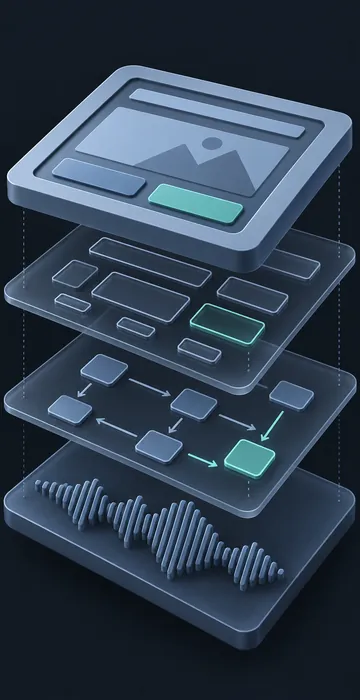
AI can handle a large part of accessibility testing, but not all of it: automated checkers and AI assistants find common problems fast, while a person still needs to test the course with a keyboard and a screen reader. Rule-based scanners catch issues like missing alt text and low color contrast. AI assistants add a layer of judgment, such as whether alt text actually describes the image. Neither can experience the course the way a learner using assistive technology does. The best results come from combining all three when you check a course against the Web Content Accessibility Guidelines (WCAG).
What Do Automated WCAG Checks Catch?
Automated checks catch problems that can be tested by a clear rule. If a requirement can be expressed as "this attribute must exist" or "this ratio must be at least 4.5 to 1," a scanner can find it fast and reliably.
Tools such as axe DevTools, WAVE from WebAIM and Google Lighthouse all work this way. Point one at a published HTML course and it will flag issues like these:
- Images with no alt attribute.
- Text that fails the minimum contrast ratio.
- Buttons and links with no accessible name.
- Form fields with no label.
- Missing page language or page title.
- Heading levels that skip around.
What scanners miss is anything that needs judgment. They can tell that alt text exists, not whether it's any good. They can't tell whether the tab order makes sense, whether a drag-and-drop has a keyboard alternative that actually works, or whether narration matches the captions. WCAG 2.2 contains many success criteria like these.
Where AI Adds Value Beyond Rule Checkers
AI assistants add value where a rule can't decide but a careful reviewer can. Tools such as ChatGPT, Claude and Gemini can look at screenshots, read exported text and review caption files, then point out likely problems for a person to confirm.
Useful jobs to give them:
- Review alt text quality. Paste the image and its alt text and ask whether the description fits the screen's purpose.
- Check reading order. Paste the exported text of a slide in its focus order and ask whether it reads logically.
- Spot color-only meaning. Share a screenshot and ask whether any information depends only on color.
- Compare captions to the script. Ask it to list differences between the caption file and the approved narration.
- Explain failures in plain words. Paste a scanner result and ask what the criterion means and how to fix it in your authoring tool.
- Write the bug tickets. Turn a list of findings into clear tickets with the screen, the problem, the WCAG criterion and the fix.
That last one sounds small, but it saves real time. Clear tickets get fixed faster than a pasted wall of scanner output.
One caution from experience: treat an assistant's findings as leads, not verdicts. It might estimate that gray text on a white background looks too light, but a screenshot isn't a measurement. Confirm with a proper contrast checker before you file the bug. The same goes for the occasional confident claim about which WCAG criterion applies. A quick look at the guideline itself settles it.
Does Passing an Automated Scan Mean the Course Is Compliant?
No. A clean automated scan means the course passed the checks a machine can run, which is a good sign but not proof of conformance. Many WCAG success criteria require human judgment, so a course can score perfectly on a scanner and still trap a keyboard user inside a drag-and-drop activity.
This matters when you report results. Write "no automated issues found, manual testing in progress" rather than "accessible." Stakeholders tend to hear a passing score as a finished job, and that misunderstanding is how inaccessible courses reach learners with a clean report attached.
What Still Needs a Human Tester?
A person still needs to test anything that depends on actually using the course: moving through it by keyboard, listening to it with a screen reader and judging whether it makes sense. These checks can't be faked with a scan, and they are where many real-world failures hide.
At minimum, someone should:
- Complete the whole course with the keyboard only, no mouse.
- Complete at least one lesson with a screen reader such as NVDA on Windows or VoiceOver on a Mac or iPhone.
- Zoom the browser to 200 percent and confirm nothing important is cut off.
- Watch every video with captions on and the sound off.
- Try each interaction type at least once with assistive technology.
If your organization has to meet Section 508, Section508.gov offers free testing guidance and training that pairs well with this list.
A Practical AI Accessibility Testing Sequence
A good AI accessibility testing sequence runs the cheap, fast checks first and saves human time for what only humans can judge. Here's the order I recommend for a course built in a tool like Storyline, Rise or Captivate:
- Run the authoring tool's own accessibility checker, if it has one, before publishing.
- Publish to HTML and scan a sample of screens with an automated checker.
- Use an AI assistant to review alt text, reading order, color use and captions.
- Fix everything found so far and republish.
- Do the keyboard and screen reader passes by hand.
- Log the remaining issues as tickets, fix them and retest.
Doing the automated steps first means your human tester spends their hour on real usability problems instead of reporting missing alt text a scanner could have found in seconds.
Who on the Team Should Run These Checks?
The developer who built the course should run the automated and AI-assisted steps, and a different person should run the manual passes. Fresh eyes catch more, and builders tend to know where to click, which hides navigation problems.
The AI-assisted steps also work best when the team knows how to ask good questions and check the answers. If your developers are new to these tools, short, hands-on AI training for employees pays off quickly, because a vague prompt gets a vague accessibility review.
AI Accessibility Testing Is a Head Start, Not a Finish Line
AI accessibility testing can find the common problems in minutes and make your manual review sharper. It can't replace a person moving through the course with a keyboard and a screen reader. Use both, in that order, and you'll find more issues in less time than either approach alone.
Run the six-step sequence on the next course that crosses your desk and keep a tally of what each step finds. That small experiment will show you exactly where your team's testing time should go.