What Are eLearning Simulations? – Types from Simple to Immersive

Someone on your team says the new course "needs a simulation," and everyone nods until the questions start. Does that mean a headset, a 3D model or a few clickable screens? Nobody in the room is picturing the same thing, and the budget depends on which picture wins. So what are eLearning simulations, and which type does your course need?
eLearning simulations are interactive practice environments that copy the important parts of a real task, so learners can act, make mistakes and see the results without real-world cost or risk. They run on a spectrum. At the simple end sit software simulations and branching scenarios built in standard authoring tools. In the middle are interactive 2D and 3D models of equipment and processes. At the far end are fully immersive virtual reality (VR) experiences that put the learner inside the space. The right type depends on what the learner must do on the job, how often the task changes and how many people you need to train.
What Makes Something a Simulation and Not Just Interactivity?
A simulation responds to the learner the way the real system would, and that is the dividing line. A drag-and-drop matching exercise is interactive, but nothing in the real world behaves like a matching exercise. A simulation, even a flat one, has rules borrowed from reality: open this valve and the pressure drops, skip this field and the order fails, say the wrong thing and the customer grows colder.
I like to think of every simulation as a small box with three parts inside it:
- A model of the situation. The screens, objects, people or machines the learner works with.
- Rules. What happens when the learner does something, including the wrong thing.
- Feedback. How the learner finds out how it went, either right away or at the end.
Fidelity is how closely each of those three parts matches the real job. You can have low visual fidelity and high rule fidelity (a plain diagram of a pump that still behaves correctly) and the training can work beautifully. The reverse, a gorgeous model with fake rules, usually doesn't.
What Are the Main Types of eLearning Simulations?
There are six types you will encounter most often. I'll walk up the ladder from flat and inexpensive to immersive and expensive, because seeing them in order makes the trade-offs easier to recognize.
1. Software Simulations
These replicate a computer application such as a CRM, an ERP screen or a scheduling tool, and they usually come in three modes. "Watch" demonstrates the steps, "try" lets the learner click through with hints, and "test" removes the hints and scores the attempt. Most authoring tools can capture these from a screen recording, which keeps the cost low, but the catch is maintenance: when the real software gets a new button, your simulation is out of date.
2. Branching Scenarios
A branching scenario puts the learner in a situation, offers choices and plays out the consequences. They shine for conversations and judgment calls: coaching an employee, handling an upset customer, deciding whether to stop a job. The visuals can be simple photos or illustrations. The real work is in the writing, because the choices have to be tempting and the consequences have to feel fair. Cathy Moore has a useful collection of scenario-based training examples if you want to see the range.
3. Process and System Simulations
Here the learner manipulates a model of a system and watches it respond. Think of a 2D diagram of a cooling loop where adjusting a setpoint changes the flow, or a supply chain game where ordering too late empties the shelves. These teach cause and effect better than almost any other format, and although they require more programming logic to build, the artwork can stay simple.
4. Interactive 3D Equipment Models
Now we add depth. The learner rotates a machine, opens panels, identifies parts and performs steps in order on a 3D model running in a browser or desktop app. This is where spatial understanding starts to pay off: where the filter sits behind the housing, which way the lever travels, what you can't see from the front.
5. Virtual Labs and Desktop 3D Environments
A step up from a single model, a virtual lab or environment gives the learner a whole room or site to move through on a normal screen. Chemistry labs, substations, warehouse floors and confined spaces all work well here. The learner walks, looks around, picks up tools and makes mistakes that would be dangerous or wasteful in real life.
6. Immersive VR Simulations
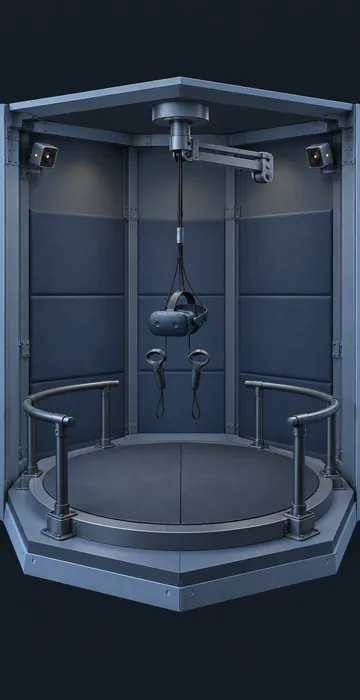
At the top of the ladder, the learner wears a headset and uses their hands, so scale becomes real: a tank is taller than you, a ledge is a long way down, and your body has to turn to locate the next valve. VR is unmatched for spatial skills and high-stakes rehearsal, but it brings hardware, device management, motion comfort and room space into the project.
How Do the Types Compare on Cost, Effort and Fit?
The table below is a rough guide to how the types compare. The cost bands are relative to each other rather than quotes, since actual budgets vary widely with scope, art style and the number of branches or steps.
| Type | Relative build effort | Best for | Main risk |
|---|---|---|---|
| Software simulation | Low | System training, data entry, new tool rollouts | Goes stale when the software changes |
| Branching scenario | Low to medium | Conversations, judgment, ethics, safety decisions | Weak writing makes choices obvious |
| Process or system simulation | Medium | Cause and effect, troubleshooting, operations | Logic errors that teach the wrong rule |
| Interactive 3D model | Medium to high | Equipment parts, assembly, inspection | Pretty model, thin practice |
| Desktop 3D environment | High | Site orientation, hazard spotting, lab work | Navigation eats the learning time |
| Immersive VR | Highest | Spatial skills, rare high-risk events, muscle memory | Hardware logistics and limited reach |
Notice how the "best for" column changes as you climb. The higher types are not upgraded versions of the lower ones, because they perform different jobs. A VR headset is a poor way to teach someone a billing screen, and a click-through demonstration is a poor way to teach someone to interpret a crowded plant floor.
Which Type of eLearning Simulation Should You Choose?
Start with the task rather than the technology. Write down the one thing the learner must be able to do after training, then ask a few direct questions about it.
- Is the task mostly on a screen? Use a software simulation. Don't overthink it.
- Is the hard part a decision or a conversation? Use a branching scenario. Spend the money on writing and review, not art.
- Is the hard part understanding how a system behaves? Use a process simulation, even a 2D one.
- Is the hard part knowing where things are and how they fit together? Move into 3D, starting on the desktop.
- Does the learner need to feel scale, height, reach or body position? That is when VR earns its place.
Then review your constraints, starting with how many learners you have and where they are located. A field crew of 40 spread across remote sites is a different problem than 2,000 call center agents on company laptops. Consider how often the content changes, too, because anything tied to a product or software version needs to be inexpensive to update, which pushes you down the ladder.
A good rule of thumb: pick the lowest rung that still makes the learner do the real task. You can always climb later. Climbing down after a big 3D build is much harder to explain.
Where Do eLearning Simulations Go Wrong?
Most failures I see come from the same few habits, and none of them are really about the tools.
Building the environment before the practice. Teams become attached to the model and only later ask what the learner will actually do inside it, which produces a beautiful space with a guided tour and a quiz. Script the practice activities first, and let the artwork follow.
Other common problems:
- Feedback that only says "correct" or "incorrect" without showing the consequence in the simulated world.
- One path through. If there is only one way to succeed and no way to fail interestingly, it is a slideshow with extra steps.
- No subject matter expert (SME) walkthrough of the logic, so small errors in the rules teach the wrong habit.
- Controls that take longer to learn than the task itself. Watch a new user try it before launch.
- No plan for updates. Equipment changes, procedures change, and nobody budgeted for version two.
The Wikipedia overview of training simulations is a handy reminder of how long organizations have relied on this idea, from flight trainers to business games. The tools have changed, but the basic logic of "practice safely, fail usefully" has not.
Climbing the Ladder One Rung at a Time
So, what are eLearning simulations? They are practice environments that behave like the real thing, ranging from a few clickable screens up to a full headset experience. The type you choose should follow the skill: screens for software, choices for judgment, models for systems, 3D for spatial knowledge and VR when the body has to learn as well.
If your course involves real equipment and step-by-step procedures, the middle of the ladder is often the best value. It is worth reading how a 3D training simulation teaches equipment and procedures before you commit to anything bigger.
Your next step is simple. Take one task from your current project, run it through the five questions above and identify which rung it lands on, because that answer will tell you more about your budget than any vendor demonstration.