How Much Does a Training Simulation Cost? – Software Sims to VR

Someone in a meeting said "we should build a simulation," and everyone nodded. Now you've been asked to find out what it costs. The first vendor mentions a figure that seems reasonable. The second mentions one with an extra zero. Both are describing a "simulation." That word covers a huge range of products. How much does a training simulation cost, from a simple software sim all the way up to virtual reality?
Training simulation cost depends mainly on fidelity, meaning how closely the simulation copies the real task, and on how many scenarios it has to cover. A software simulation built from screen captures sits near the low end. Branching scenarios cost more because of writing and branching logic. Interactive 2D and 3D equipment simulations climb steeply because every object and behavior must be built. Virtual reality (VR) adds hardware, device management and extra testing.
The safest way to budget is to define the exact skill to practice, choose the lowest fidelity that still trains it, and estimate the hours from there. In the illustrative example below, 20 minutes of training at $100 an hour comes to about $5,000 as a software simulation, $20,000 as a 3D desktop simulation and about $26,700 in VR before headsets.
What Counts as a Training Simulation?
A training simulation is any practice environment where learners make decisions or perform actions and see realistic consequences, without real-world risk. The general idea is well documented in this overview of training simulations, which covers everything from business games to equipment simulators.
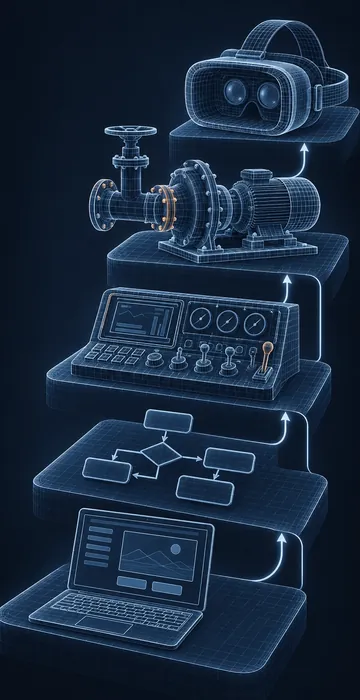
For budgeting, it helps to sort simulations into five common types:
- Software simulations. Learners practice in a copy of an application: "show me," "try me" and "test me" modes.
- Branching scenarios. Learners handle a conversation or situation, choosing responses that lead down different paths.
- 2D equipment or process simulations. Interactive diagrams of a control panel, a valve lineup or a workflow, built in an authoring tool or with custom code.
- 3D desktop simulations. Learners move around a modeled space or piece of equipment on a computer, usually built in a game engine such as Unity or Unreal.
- VR simulations. The same 3D experience, but delivered in a headset with hand controllers for full immersion.
There's also a sixth category: full-scale physical simulators, like the flight simulators airlines use. Those are qualified by regulators, such as the Federal Aviation Administration's National Simulator Program, and they cost far more than anything in this article. They're a different kind of purchase entirely.
How Much Does Each Type of Simulation Cost?
Each type of simulation costs a different number of development hours per finished hour of learning, and the jump between types is steep. The chart below shows illustrative planning assumptions, not survey data. The only widely published anchor is Chapman Alliance's 2010 study, which put advanced, Level 3 eLearning (including simulations) at roughly 217 to 716 development hours per finished hour. My example figures sit inside or near that range on purpose.
Planning assumptions for comparison; real projects vary widely
Illustrative example: planning assumptions, not survey results. Chapman Alliance (2010) reported about 217 to 716 hours per finished hour for advanced Level 3 eLearning.
View the data
| Example hours per finished hour | |
|---|---|
| Software simulation | 150 hrs |
| Branching scenario | 220 hrs |
| 2D equipment sim | 350 hrs |
| 3D desktop sim | 600 hrs |
| VR simulation | 800 hrs |
To turn hours into dollars, multiply by course length and a rate. Say you need 20 minutes of practice time, which is a third of an hour, and your example blended rate is $100 per hour. A software simulation at 150 hours per finished hour comes to about 50 hours, or $5,000. A 3D desktop simulation at 600 hours comes to about 200 hours, or $20,000. A VR version at 800 hours comes to about 267 hours, or roughly $26,700, before you buy a single headset.
Those are example numbers. Your vendor's rate and your scope will change them. The ratio between the types is the useful part. One caution: the 3D and VR figures assume you can start from existing models, such as CAD files or a purchased asset library. If every piece of equipment and every room has to be modeled from scratch, those two rows can run several times higher, so ask for the asset work as a separate line before you set a budget.
What Drives Training Simulation Cost Up?
The biggest drivers of training simulation cost are fidelity, scenario count and asset creation. Small decisions in any of these can double the budget without anyone noticing.
Fidelity
Fidelity is how real the simulation looks and behaves. A control panel where every gauge responds to every valve is far more expensive than one where only the six controls in the procedure work. High fidelity is worth paying for when learners must build muscle memory or spatial awareness. It's wasted when they just need to learn a sequence.
Scenario Count and Branching
Every scenario needs writing, building and testing. Branching multiplies the work, because each choice point creates new paths. A scenario with three decision points and three choices each can have 27 endings if you let every branch run free. Good designers collapse branches back together to keep the count sane.
3D Assets
If you have engineering CAD (computer-aided design) files for your equipment, 3D artists can often convert them into usable models, though they still need cleanup and simplification. If you don't, every pump, panel and room has to be modeled from photos and measurements. That modeling time is often the single largest line item in a 3D or VR project.
Platform and Hardware
Desktop simulations run on computers you already own. Browser-based 3D avoids installs entirely. VR needs headsets, charging, storage, cleaning, software updates and someone to manage the devices. Those ongoing costs belong in the budget even though they aren't development hours.
What Hidden Costs Do Buyers Miss?
Buyers most often miss maintenance, data and the time their own experts spend. These don't show up in a development quote, yet they decide whether the simulation keeps working after launch.
- Maintenance. Software simulations go stale when the real application changes. Equipment simulations need updates when procedures change.
- Scoring and data. Recording each learner's choices and errors in your learning management system (LMS) takes extra development and testing.
- Subject matter expert time. Experts need to walk the developers through the real task, then check that the simulation behaves correctly. For complex equipment, that's many hours.
- Facilitation. VR sessions often need a facilitator to fit headsets, help first-time users and keep sessions on schedule.
- Accessibility. Some learners can't use a headset comfortably. Plan an alternative path, such as a desktop version.
What Should a Simulation Quote Include?
A simulation quote should include the scenario list, the fidelity level for each object, the asset plan, the target devices and the testing approach. If any of those are missing, two quotes for "the same" simulation can describe very different products.
Ask each vendor to spell out the following in writing:
- The number of scenarios and the decision points in each.
- Which objects are fully interactive, which are partly interactive and which are just scenery.
- Whether 3D models will come from your CAD files, from a library or be built from scratch.
- The devices and browsers it must run on, including any headsets.
- How learner actions will be scored and what data will reach your LMS.
- How many review rounds are included, and how a playable build will be shared for review.
- What happens when the real equipment or software changes after launch.
Then compare quotes line by line. When one vendor is far cheaper, the difference is almost always in the interactive object count or the asset plan. That isn't automatically bad. Sometimes the cheaper vendor has simply found a smarter way to train the same skill with less realism, and that's exactly the kind of thinking you want.
One more tip: ask to play a build from a past project, not just watch a video of it. Video hides frame-rate problems, awkward controls and confusing feedback. Five minutes with the real thing tells you more than any reel.
How Do You Keep a Simulation Budget Under Control?
You keep a simulation budget under control by matching fidelity to the skill, not to the wow factor. The most expensive mistake in simulation projects is building more realism than the learning goal requires.
- Write the exact task learners must perform, step by step.
- Mark which steps involve judgment, which involve physical skill and which are just sequence.
- Choose the lowest fidelity that trains each step. Sequence can often be a 2D simulation. Spatial awareness may need 3D.
- Limit the first release to the highest-risk or highest-frequency scenarios.
- Build one scenario first, test it with real learners, then build the rest.
My default: if a branching scenario or a 2D simulation can train the skill, start there. You can always move to 3D or VR later with what you learned. Before you commit to custom work at all, it's worth checking whether a ready-made product already covers the skill. Our comparison of off-the-shelf vs custom eLearning walks through that decision.
When Is a VR Simulation Worth the Cost?
A VR simulation is worth the cost when the real task is dangerous, expensive or rare to practice, and when spatial awareness or physical movement matters to doing it right. Emergency response, confined spaces, high-voltage work and rare equipment failures are classic examples.
It's usually not worth it for knowledge content, software skills or conversations. Those train well in cheaper formats. The test is simple: would a learner practicing this in VR do something with their body or their eyes that they couldn't practice on a screen? If not, a desktop simulation will likely do the job for a fraction of the cost.
Scale matters too. A VR program for twenty people a year carries the same development cost as one for two thousand, but the cost per learner is wildly different. Divide the total, including hardware and facilitation, by the number of learners over the simulation's useful life before you decide.
Pay for the Skill, Not the Spectacle
Training simulation cost rises with fidelity, scenario count and 3D assets, and it rises fast. Software simulations and branching scenarios sit at the lower end. 3D desktop simulations and VR climb steeply, and VR adds hardware and management costs that never appear in a development quote.
The smart path is to define the real task, pick the lowest fidelity that trains it, pilot one scenario and expand from evidence. That way, every dollar you spend on realism is a dollar that changes how people perform. If you want help choosing the fidelity level or checking a quote, tell me the task you're trying to train and I'll tell you where I'd start.