Interactive eLearning Example: A 3D Fire Extinguisher Training Simulation
This is the top end of what I build: a 12 to 15 minute narrated course with real-time 3D and a hands-on simulation, made for a fictional client called Extinguished Inc. Most projects are far simpler, and small jobs are welcome. Try it, then tell me what you actually need.
 Start the demo course12 to 15 min · sound on · about 30 MB
- 12 to 15 minutes, narrated with captions
- Runs in the browser with no plug-in or install
- Hands-on simulation and a certificate at the end
Free, with no sign-up. Turn your sound on. Best on a desktop or laptop; it also runs on recent phones and tablets. It is a large download (about 6 MB to start, 30 MB in all), so on a phone use Wi-Fi.
What Is in the 3D Course
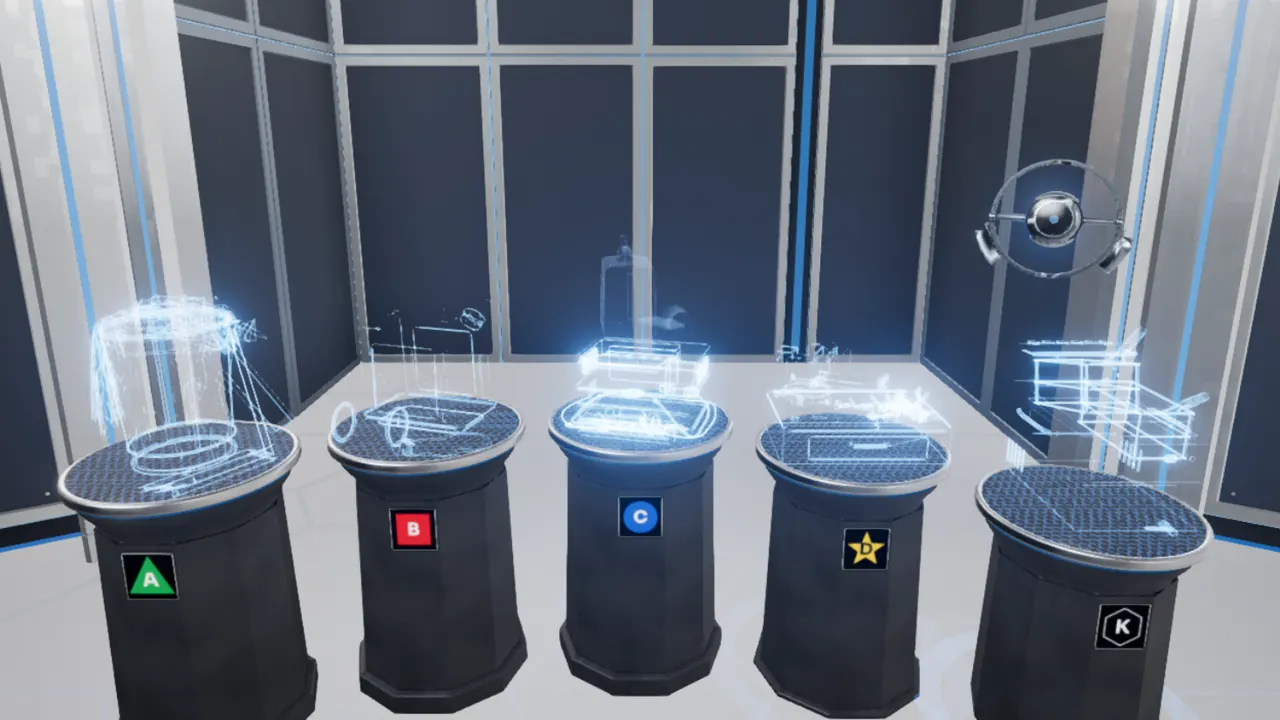
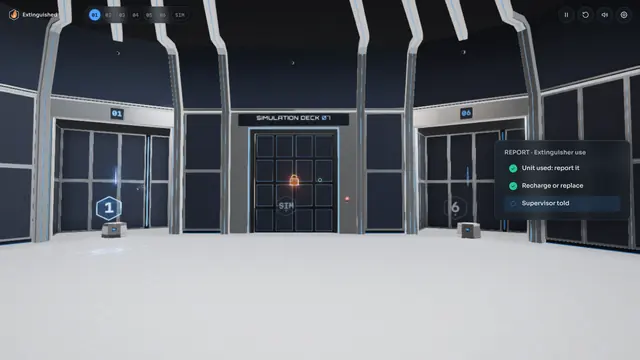
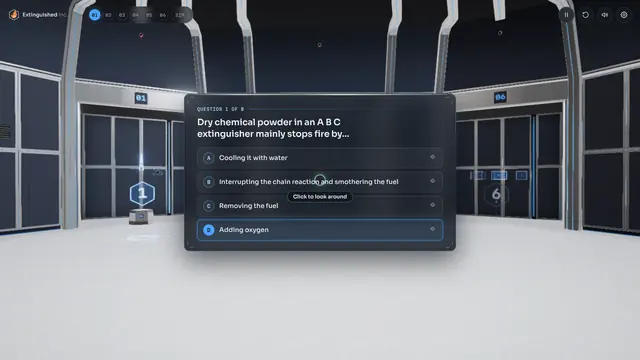
Fire Extinguisher Safety takes 12 to 15 minutes. It is narrated from start to finish, with captions, and it runs as real-time 3D in the browser. The learner moves through a training bay, one station at a time:
- Fire science: how fire works.
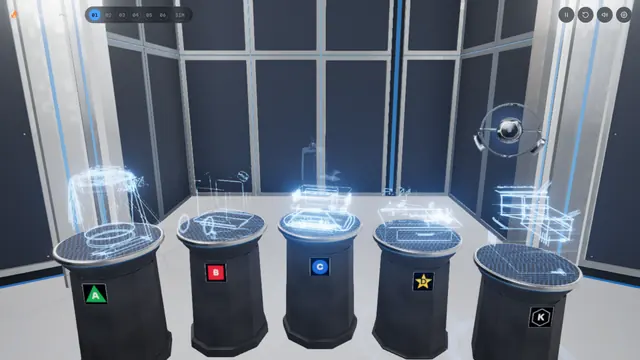
- Classes of fire: which extinguisher fits which fire.
- Fight or flee: how to decide whether to use an extinguisher or get out.
- The PASS technique: pull, aim, squeeze and sweep.
- Inspection: spotting an extinguisher that is not ready to use.
- Knowledge check: a short scored quiz.
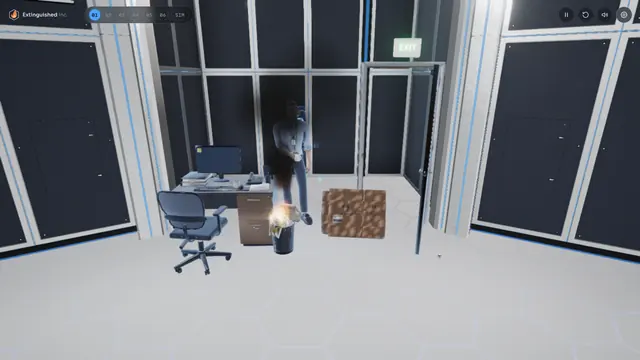
- Hands-on simulation: the learner picks an extinguisher and puts out a fire, step by step.
- Certificate: a printable certificate at the end.
Progress is saved in the browser, so you can close the course and pick it up later on the same device.
Short on time? The DEMO skip at the top right jumps ahead a section at a time, so you can go straight to the simulation. A real course would not have it.
How the Course Was Built
The course is custom-coded for the web. It was not made in a slide-based authoring tool. The 3D graphics use WebGPU where the browser supports it and fall back to WebGL 2 automatically where it does not. There is no plug-in, no app to install and no headset.
Extinguished Inc. is a company I made up. A fictional client let me build everything a real project would include: a branded look, narration, captions, practice, a scored check, a simulation and a certificate, without showing anyone's private training material.
One caution: this is a demo. The certificate is a sample, not a training record, and your site's Emergency Action Plan always comes first.
Most Projects Are Far Simpler
I put this course on the site because it is the hardest kind of work I do, not because it is typical. Most training does not need 3D, and most projects look more like these:
- Turning a PowerPoint deck into a SCORM course
- Fixing a course that will not launch or track in an LMS
- Rebuilding old Flash courses or CD-based training for today's browsers
- Building a course from your storyboard in Storyline, Captivate or HTML5
- A few hours of consulting or a temporary seat on your team
Small jobs are welcome. If a simpler format will teach the skill, I will tell you so.
When 3D and Simulation Are Worth It
A course like this makes sense when people have to practice a physical task, and practice on the real thing is costly, risky or hard to arrange. Common cases:
- Safety and emergency procedures
- Equipment operation and maintenance steps
- Facility walkthroughs and orientation
- Any task where order and position matter
For decisions and soft skills, a branching scenario usually does the job with far less work. I will help you pick the level that fits. See simulation development for the full range.
To go deeper, read how 3D training simulations teach equipment and procedures, what a training simulation costs and how realistic a simulation needs to be.
What a Version for Your Organization Would Include
- Your content, your procedures and your branding, reviewed by your subject matter experts.
- Packaging for your LMS as SCORM, xAPI or cmi5, so completions and scores are tracked. The public demo is not connected to an LMS. It only saves progress in the browser.
- Testing in your LMS and on the devices your learners use.
- No demo skip buttons, unless you want them for reviewers.
The same approach scales down. One 3D model of a single piece of equipment, placed inside an ordinary course, is often enough.
Whatever the size, tell me what you need. The consultation is free, and I reply within one business day.
From a Quick Fix to a Full 3D Course
The demo course sits at the top of this ladder. Most of my work happens on the lower rungs, and every rung is welcome.
- 01
Fixes and consulting hours
A course that will not launch or track, a second opinion on a storyboard, or a few hours of help for your team.
Example: A SCORM package that shows as incomplete after learners finish it.
- 02
Conversions
Slide decks, Flash, Authorware and old CD-based training rebuilt as courses that run and track in your LMS.
Example: A classroom PowerPoint turned into a narrated SCORM course with a knowledge check.
- 03
Custom courses
New courses built from your storyboards in Storyline, Captivate or HTML5, with narration, interactions and testing in your LMS.
Example: A compliance course with scenarios and a scored quiz.
- 04
Flagship: 3D and simulation
Real-time 3D environments and hands-on simulations for skills that are physical, spatial or high risk.
Example: The fire extinguisher demo course on this site, built for the fictional Extinguished Inc.
Not sure where your project fits? Tell me what you have. Small jobs are welcome. Book a free consultation
Common Questions
Is Extinguished Inc. a real client, and is this real training?
No. Extinguished Inc. is a fictional company I invented for this sample. The course covers general principles of portable fire extinguisher use, but the certificate is a sample, not a training record. Your site's Emergency Action Plan always comes first.
Do I have to sit through the whole course?
No. The DEMO skip at the top right jumps ahead a section at a time, so you can go straight to the simulation and the certificate. Progress is also saved in the browser, so you can leave and come back.
I only need something small. Do you take small jobs?
Yes. Converting one slide deck, fixing one course that will not track, or a few hours of consulting are all normal work for me. The 3D course shows the top of the range, not the minimum.
Would a course like this work in our LMS?
Yes. A version built for you would be packaged as SCORM, xAPI or cmi5 so it launches from your LMS and reports completions and scores. The public demo is not connected to an LMS.
What do I need to run the demo?
A current web browser and sound. Browsers with WebGPU, such as current Chrome and Edge, give the best graphics, and others fall back to WebGL 2 automatically. There is no plug-in, no install and no headset. A desktop or laptop gives the best experience.
Big Project or Small, Start With a Free Consultation
Tell me what you have and where you want to end up. It might be a course like this one, a stack of slide decks, or one SCORM package that will not track. I reply within one business day.